Settings
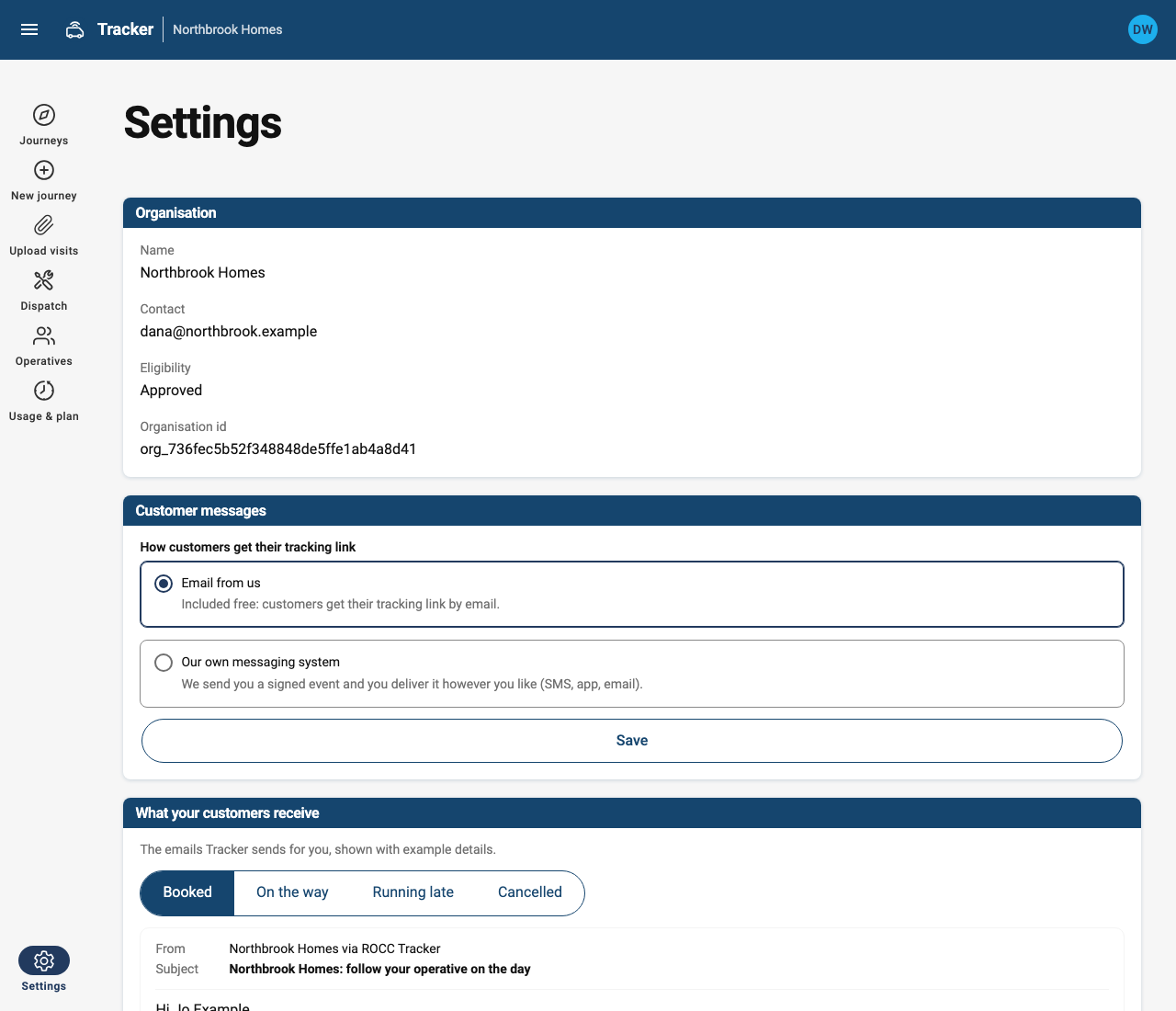
- Customer messages. Choose Email from us, or Our own messaging system with your webhook URL. See Customer messages.
- Operatives. Allow operatives to pick up unassigned visits in the Tracker app.
- Retention. How long Tracker keeps visit records (6 to 36 months, 24 by default), the message log (3 to 24 months, 12 by default) and location trails (up to your plan's maximum). Tracker deletes them automatically once a day, and your notices show the periods you chose.
- Privacy and legal. Set the privacy contact your customer and operative notices name, or link your own customer privacy notice. Preview both notices, and see which version of the terms you accepted. See Privacy and location data.
- Signing in. Link your work Microsoft account to sign in with it, or unlink it. You can only unlink it if you also have a password; to add one, use Forgot password on the sign-in page. Tracker never links a Microsoft account to yours just because the email address matches.
- API keys. Create a key for each system that calls the API, such as your job system. A key is only shown once, so copy it into that system straight away. Revoke keys you no longer use; Last used helps you spot them. See Authentication.
- Recent messages. The latest customer messages and how each one went.